%22%3E%3Cpath%20fill%3D%22%23000%22%20d%3D%22M79.702%2078.555c0%2033.03%2018.767%2046.361%2035.801%2046.361%2014.149%200%2029.738-7.033%2034.505-28.595l-1.445-.306c-3.61%2015.903-14.005%2027.371-33.06%2027.371-13.86%200-13.716-22.173-13.716-41.594V67.415h49.662c0-23.393-13.136-40.674-35.946-40.674-17.034%200-35.801%2018.94-35.801%2051.814m35.801-50.283c14.437%200%2014.005%2026.455%2013.861%2037.617h-27.573c-.004-18.353.865-37.617%2013.712-37.617%22%2F%3E%3C%2Fg%3E%3Cmask%20id%3D%22b%22%20width%3D%22603%22%20height%3D%22126%22%20x%3D%220%22%20y%3D%220%22%20maskUnits%3D%22userSpaceOnUse%22%20style%3D%22mask-type%3Aluminance%22%3E%3Cpath%20fill%3D%22%23fff%22%20d%3D%22M602.5%200H.5v125.074h602z%22%2F%3E%3C%2Fmask%3E%3Cg%20mask%3D%22url(%23b)%22%3E%3Cpath%20fill%3D%22%23000%22%20d%3D%22M86.81%20105.474h-1.445c0%2010.547-4.475%2011.463-5.483%2011.463-2.454%200-4.475-3.514-4.475-11.921V48.264c0-14.83-10.826-21.558-22.229-21.558-10.97%200-22.66%206.118-25.983%2017.276V8.478c-.515-4.763-4.26-8.48-8.893-8.48H.522v1.53H.5c2.886%200%204.763%201.988%204.763%205.045v110.211c0%203.057-1.877%205.045-4.763%205.045h.022v1.531h31.423v-1.531h.021c-2.885%200-4.762-1.988-4.762-5.045V50.252c0-10.395%208.949-18.806%2016.31-18.806%205.338%200%209.813%204.13%209.813%2014.83v58.74c0%2013.909%207.796%2019.874%2016.165%2019.874%209.958.005%2017.318-6.418%2017.318-19.416%22%2F%3E%3C%2Fg%3E%3Cmask%20id%3D%22c%22%20width%3D%22603%22%20height%3D%22126%22%20x%3D%220%22%20y%3D%220%22%20maskUnits%3D%22userSpaceOnUse%22%20style%3D%22mask-type%3Aluminance%22%3E%3Cpath%20fill%3D%22%23fff%22%20d%3D%22M602.5%200H.5v125.074h602z%22%2F%3E%3C%2Fmask%3E%3Cg%20mask%3D%22url(%23c)%22%3E%3Cpath%20fill%3D%22%23000%22%20d%3D%22M225.911%2042.197c0-10.552-11.259-16.818-22.954-16.818-10.682%200-21.513%205.045-25.119%2016.975v-7.352c-.48-4.574-3.977-8.148-8.364-8.398h-18.322v1.53h-.022c2.886%200%204.763%201.99%204.763%205.046v81.371h.004c.293%204.814%203.942%208.633%208.509%208.846v.004h18.173v-1.53h.022c-2.886%200-4.763-1.989-4.763-5.045V48.62c0-10.552%209.094-19.269%2016.602-19.269%204.763%200%208.805%203.672%209.386%2012.693%200%206.881%204.619%2011.773%2011.119%2011.773%206.631%200%2010.966-4.587%2010.966-11.62%22%2F%3E%3C%2Fg%3E%3Cmask%20id%3D%22d%22%20width%3D%22603%22%20height%3D%22126%22%20x%3D%220%22%20y%3D%220%22%20maskUnits%3D%22userSpaceOnUse%22%20style%3D%22mask-type%3Aluminance%22%3E%3Cpath%20fill%3D%22%23fff%22%20d%3D%22M602.5%200H.5v125.074h602z%22%2F%3E%3C%2Fmask%3E%3Cg%20mask%3D%22url(%23d)%22%3E%3Cpath%20fill%3D%22%23000%22%20d%3D%22M234.434%2028.315c2.925%200%205.583%202.312%206.779%205.863l29.782%2089.218h1.597l20.61-61.852%2020.609%2061.852h1.598l29.781-89.218c1.196-3.556%203.855-5.863%206.78-5.863h.183v-1.776h-11.538v1.776h.184c2.925%200%203.99%202.312%202.794%205.863l-18.082%2054.209-18.082-54.209c-1.196-3.556-.131-5.863%202.794-5.863h.183v-1.776h-33.343v1.776h.183c2.925%200%205.583%202.312%206.78%205.863l8.373%2025.058-9.705%2029.15-18.082-54.208c-1.196-3.556-.131-5.863%202.794-5.863h.184v-1.776h-33.344v1.776z%22%2F%3E%3C%2Fg%3E%3Cmask%20id%3D%22e%22%20width%3D%22603%22%20height%3D%22126%22%20x%3D%220%22%20y%3D%220%22%20maskUnits%3D%22userSpaceOnUse%22%20style%3D%22mask-type%3Aluminance%22%3E%3Cpath%20fill%3D%22%23fff%22%20d%3D%22M602.5%200H.5v125.074h602z%22%2F%3E%3C%2Fmask%3E%3Cg%20mask%3D%22url(%23e)%22%3E%3Cpath%20fill%3D%22%23000%22%20d%3D%22M377.826%20124.491c17.034%200%2038.211-15.699%2038.211-48.882%200-33.03-21.177-48.73-38.211-48.73-17.035%200-38.067%2015.857-38.067%2048.73.004%2033.026%2021.032%2048.882%2038.067%2048.882m0-96.085c13.86%200%2016.121%2028.24%2016.121%2047.356%200%2019.116-2.261%2047.198-16.121%2047.198-13.861%200-15.978-27.777-15.978-47.198%200-19.422%202.122-47.356%2015.978-47.356%22%2F%3E%3C%2Fg%3E%3Cmask%20id%3D%22f%22%20width%3D%22603%22%20height%3D%22126%22%20x%3D%220%22%20y%3D%220%22%20maskUnits%3D%22userSpaceOnUse%22%20style%3D%22mask-type%3Aluminance%22%3E%3Cpath%20fill%3D%22%23fff%22%20d%3D%22M602.5%200H.5v125.074h602z%22%2F%3E%3C%2Fmask%3E%3Cg%20mask%3D%22url(%23f)%22%3E%3Cpath%20fill%3D%22%23000%22%20d%3D%22M490.482%2042.197c0-10.552-11.258-16.818-22.953-16.818-10.683%200-21.513%205.045-25.119%2016.975v-7.352c-.48-4.574-3.977-8.148-8.365-8.398h-18.326v1.53h-.022c2.886%200%204.763%201.99%204.763%205.046v81.371h.004c.293%204.814%203.943%208.633%208.509%208.846v.004h18.173v-1.53h.022c-2.885%200-4.763-1.989-4.763-5.045V48.62c0-10.552%209.094-19.269%2016.602-19.269%204.763%200%208.806%203.672%209.386%2012.693%200%206.881%204.619%2011.773%2011.119%2011.773%206.64%200%2010.97-4.587%2010.97-11.62%22%2F%3E%3C%2Fg%3E%3Cmask%20id%3D%22g%22%20width%3D%22603%22%20height%3D%22126%22%20x%3D%220%22%20y%3D%220%22%20maskUnits%3D%22userSpaceOnUse%22%20style%3D%22mask-type%3Aluminance%22%3E%3Cpath%20fill%3D%22%23fff%22%20d%3D%22M602.5%200H.5v125.074h602z%22%2F%3E%3C%2Fmask%3E%3Cg%20mask%3D%22url(%23g)%22%3E%3Cpath%20fill%3D%22%23000%22%20d%3D%22M602.5%20103.974h-1.445c0%2010.553-4.474%2011.468-5.483%2011.468-2.453%200-4.474-3.519-4.474-11.925V6.585c0-3.056%201.877-5.045%204.762-5.045h-.166V.01h-17.715c-4.942%200-8.953%204.24-8.962%209.475h-.009v23.333c-6.063-3.977-9.84-5.503-16.48-5.503-17.034%200-35.801%2014.169-35.801%2047.046%200%2033.183%2013.101%2050.718%2035.801%2050.718%208.085%200%2013.302-2.294%2019.942-8.254%203.03%204.587%207.797%206.575%2012.704%206.575%209.966-.004%2017.326-6.427%2017.326-19.426m-30.75%2011.625c-4.763%204.435-10.84%205.822-13.38%205.822-11.482%200-19.558-16.933-19.558-46.907%200-29.97%2010.914-43.222%2019.885-43.222%203.3%200%206.264.153%2010.307%203.057v69.172c.004%205.04%201.017%209.017%202.746%2012.078%22%2F%3E%3C%2Fg%3E%3Cmask%20id%3D%22h%22%20width%3D%22603%22%20height%3D%22126%22%20x%3D%220%22%20y%3D%220%22%20maskUnits%3D%22userSpaceOnUse%22%20style%3D%22mask-type%3Aluminance%22%3E%3Cpath%20fill%3D%22%23fff%22%20d%3D%22M602.5%200H.5v125.074h602z%22%2F%3E%3C%2Fmask%3E%3Cg%20mask%3D%22url(%23h)%22%3E%3Cpath%20fill%3D%22%23000%22%20d%3D%22M516.984%20121.865c-2.885%200-4.763-1.988-4.763-5.045V9.466C512.2%204.241%20508.196.01%20503.259.01h-17.724v1.53h-.022c2.89%200%204.763%201.989%204.763%205.045v108.418c.515%204.564%204.029%208.129%208.434%208.337v.06h18.252v-1.53h.022z%22%2F%3E%3C%2Fg%3E%3C%2Fsvg%3E)
REVIEW: The best smartphone recipe apps for collecting and managing digital recipes
Attention, recipe hoarders. These apps will make it easier to collect ideas off the Internet, upload recipes and even manage your grocery list.
By Mia Chenyze -
This article was originally published in Simply Her February 2016.
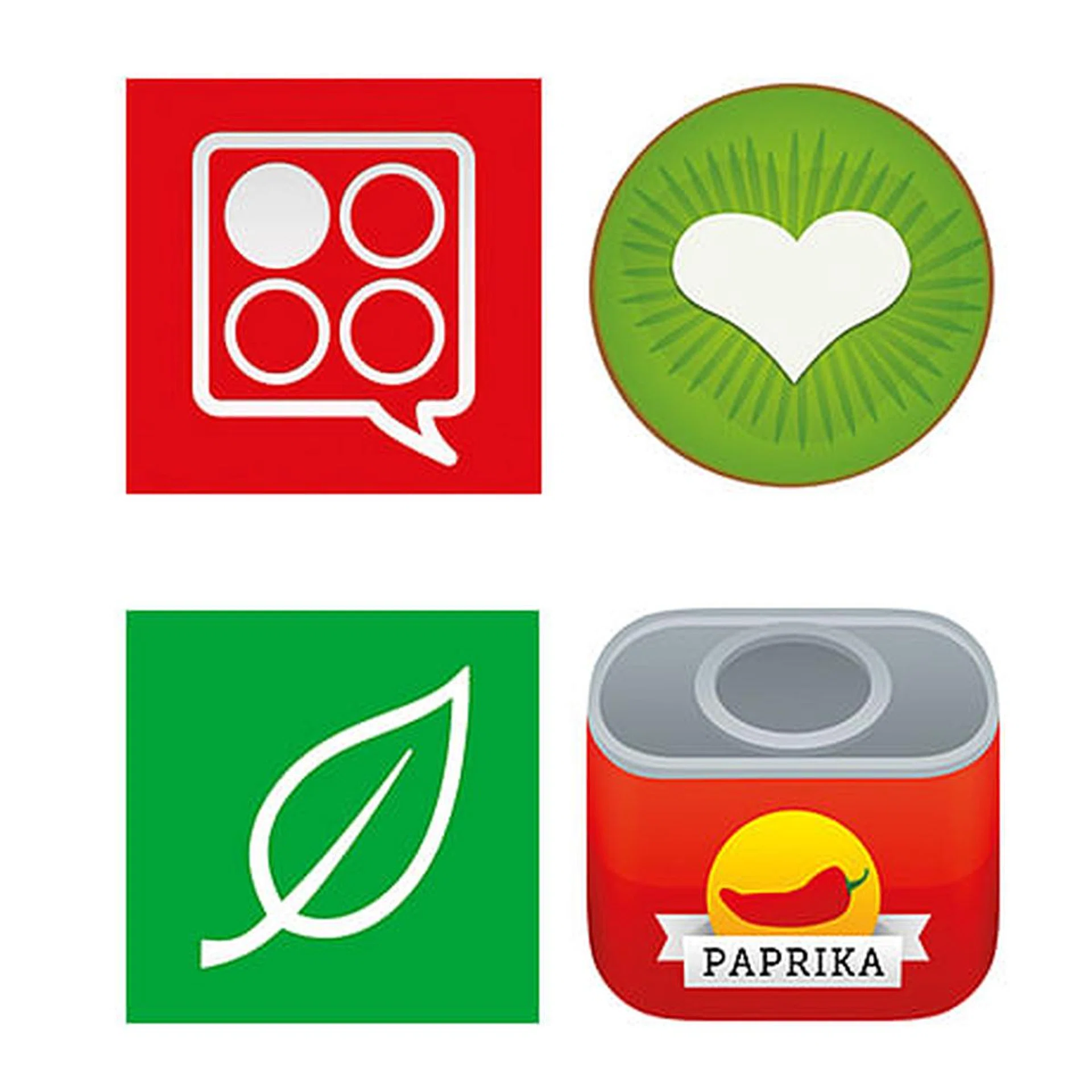
Paprikaapp.com. Available on iOS, US$4.99 (S$7),Android (US$4.99), Mac (US$19.99), and Windows (US$19.99).
ADDING RECIPES
• Once you’ve added Paprika as a bookmark on your desktop browser, you can click on it when you want to save a recipe from the Net. If it is not able to extract the data automatically, you can manually edit on the app by highlighting the recipe title, ingredients, and so on.
• Besides essential info like serving size and cook time, you can also add notes, tags or indicate difficulty level. • Paprika lists popular recipe sites to help you get your collection started.
COOKING WITH IT
• There’s a meal planner, and recipes are downloaded for offline viewing.
• Paprika has the most intelligent grocery list feature. For instance, if I need 180g of flour for a pastry and 200g for a cake, it will show the combined amount of 380g.
• When you’re looking at a recipe, Paprika will automatically prevent your screen from locking. If you’re prepping more than one dish at a time, you can “pin” the recipes so you can flit back and forth easily.
• There’s a built-in timer (iOS only), and you can run multiple timers across recipes – just tap to start the countdown, it’s that easy.
VERDICT It’s hands down the best all-round recipe collection app, with good looks and “brains” to match. 8.5/10
Licenses are based on device types, so you’ll need to purchase it twice to use it on an iPhone and iPad.
www.bigoven.com. Available free on iOS, Android, Windows, and via a web browser. Pro membership (US$19.99 a year or US$1.99 a month) offers unlimited recipes, customised recipes, 25 free recipe scans, a menu planner, private notes, nutritional information and dietary filters.
ADDING RECIPES
• Big Oven has its own massive database of crowd-sourced recipes that you can browse and add. Highly interactive, it offers other users’ comments, ratings and photos of their dish for each recipe.
• New recipes are set to private and before they can be shared with the community, they are vetted by Big Oven staff to ensure you’re not claiming a commercial recipe as your own. So go ahead and clip a Jamie Oliver recipe, but it’ll be purely for private viewing.
• The web browser version doesn’t automatically clip images, and it’s a hassle to download and re-upload.
• What I found most innovative was Recipe Scan:You can snap or scan photos – heirloom handwritten recipes, magazine cut-outs – and the data will be digitised (from US$12.98 for 12 recipes beyond the free ones).
COOKING WITH IT
• It’s easy to add grocery items, but not to summarise ingredient quantities from several dishes.
• It’s frustrating that I cannot toggle between recipes.
• For recipes clipped from blogs, you’re not allowed to save the directions, which means there’s no offline access to such recipes.
VERDICT It has all the essential features but its confusing user experience can wear down your patience. 7.5/10
www.basil-app.com. Available on iOS (US$4.99).
ADDING RECIPES
• There is no web interface or desktop app for Basil, so everything has to be done on your iPhone or iPad. It’s good for clipping recipes off the Net, but keying in new recipes on your phone or tablet may be uncomfortable.
• Like Paprika, clipping recipes involves highlighting the relevant text for each recipe component, although you can’t make edits or highlight notes while clipping. So to capture tips from the recipe page, you need to manually copy and paste it in afterwards.
• Basil syncs recipes via iCloud, using your iTunes account, so you don’t have to sign up for an account to sync recipes.
COOKING WITH IT
• The similarities with Paprika continue with offline recipes, scale, grocery list, and timer functions.
• Once I’ve set my preference, Basil can automatically convert imperial measurements to metric.
• It’s easy to remove the grocery items for a particular recipe with one tap, useful if you change your mind about cooking a dish. However, the grocery list doesn’t reflect scaled-down recipes; it only shows the quantity for the original recipe.
•You can’t toggle between active recipes. You will need to manually browse or search the recipes list every time. There’s no screen timeout prevention either, so you have to keep unlocking your device to check ingredients and steps.
VERDICT Despite a few lacklustre features, Basil is still a well-designed app. 7/10
www.cheftap.com. Available for free on iOS and Android, and via a web browser. Pro account (US$15.99 a year) offers unlimited syncing and recipes.
ADDING RECIPES
• Chef Tap is the smartest at extracting online recipes. Most apps can automatically save recipes from major sites like Epicurious.com, but they tend to struggle at pulling out info from food blogs.
• The app lets you add sub-headings into recipes, which comes in handy for dishes with multiple components, like a pie where you need to prepare the crust and filling separately.
• Adding my own recipes was a cinch, but what’s brilliant about Chef Tap is that I can save multiple images from recipes that come with photos of the cooking process.
COOKING WITH IT
• Recipes can be viewed offline or added to a menu planner.
• “Make” (equivalent to “pin” on Paprika) disables screen timeout, and you can also keep track of the step you’re at for each item.
• I really love the step-by-step view (Android only) which keeps me focused.
• The Scaling function (Android only) makes adjusting recipes a breeze.
• One let-down is that Chef Tap doesn’t have a grocery list feature.
VERDICT Beyond its bare-bones interface, this is one of the most full-featured apps. 7.5/10